Why keep a phone which is not used? Sell your mobile at the Biggest Mobile Market.
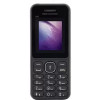
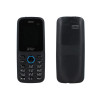
Celkon Q3K Power vs iVooMi Me1
Compare Specification and Price of Celkon Q3K Power and iVooMi Me1
| Selected Mobiles | 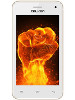 Celkon Q3K Power
Brand: Model: |
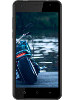 iVooMi Me1
Brand: Model: |
Brand: Model: |
Brand: Model: |
| Price | Rs. 3,690/- | Rs. 4,099/- | ||
Pros and Cons
| Pros | Ample battery life Sufficient internal memory |
Fast Charging Good battery |
||
| Cons | Average camera Low RAM |
No selfie flash |
Overview
| Class | Smartphone | Smartphone | ||
| Status | Discontinued | Discontinued | ||
| SIM Type | -- | Dual SIM (Micro-SIM) | ||
| Colors Available | White, black, gold | Black, Champagne Gold | ||
| Network | 2G Network: GSM 900 / 1800 - SIM 1 & SIM 2 3G Network: HSDPA 2100 |
2G Bands: GSM 1800 / 1900 / 850 / 900 MHz 3G Bands: UMTS 2100 / 900 MHz 4G Bands:TD-LTE 2300(band 40), FD-LTE 1800(band 3)3G Bands: UMTS 2100 / 900 MHz |
||
| Browser | HTML | -- | ||
| Form Factor | Candy bar | -- |
Processor & OS
| Operating System | Android OS, v4.4.2 (KitKat) | Android v6.0 (Marshmallow) | ||
| Processor | 1.2 GHz Quad-core Spreadtrum 7731G | Quad-core 1.2 GHz |
Physical Dimensions
| Dimension (HxWxD) | 125.8 x 65 x 9.8 mm | 145.5 x 72.9 x 9.8 mm | ||
| Weight | 128 g | 130 g |
Display
| Size | 4.0 inches (~233 ppi) | 5.0 inches (~294 ppi) | ||
| Technology | Capacitive Touchscreen | IPS LCD capacitive touchscreen | ||
| Resolution | 480 x 800 pixels | 720 x 1280 pixels | ||
| Other Features | -- | Multi-touch |
Memory
| Internal Memory & Storage | 8 GB | 8 GB | ||
| External Memory | Yes, Up to 32 GB via microSD | 128 GB | ||
| RAM | 512 MB | 1 GB |
Battery
| Type | Li-Ion 3000 mAh battery | Li-Ion 3000 mAh battery |
Camera
| Primary Camera(Rear) | 3.15 MP with LED flash | 5 MP with LED Flash | ||
| Secondary Camera(Front) | 1.3 MP | 5 MP | ||
| Digital/Optical Zoom | Digital Zoom | Digital Zoom |
Data & Connectivity
| GPRS | Yes | Yes | ||
| EDGE | Yes | Yes | ||
| 3G | Yes | Yes | ||
| 4G | -- | Yes | ||
| Bluetooth | Yes, v4.0 | Yes | ||
| USB | Yes, microUSB v2.0 | Yes, microUSB 2.0 | ||
| Wi-Fi | Yes | Yes, Wi-Fi 802.11, b/g/n, Wi-Fi hotspot | ||
| GPS | Yes | Yes, with A-GPS |
Multimedia
| Music Player | Yes, Supports MP3, WAV, eAAC player | -- | ||
| MP3 Ringtone | Yes | -- | ||
| LoudSpeaker | Yes | Yes | ||
| Video Player | Yes, Supports MP4, H.264 player | -- |
Features
| Java | No | -- | ||
| Messaging | SMS / MMS / Email | |||
| Sensors | Accelerometer | Proximity sensor, Accelerometer | ||
| FM Radio | Yes | Yes | ||
| Document Viewer | Yes | -- |
Trending New Mobiles
Latest Mobile Launches
Safety Tips for Buyers
- Never pay the Seller before receiving and verifying the device.
- Never scan any QR code or share OTP.
- Ask for bill, box, accessories etc to make sure its not a stolen device.
- Meet the Seller in a safe place preferably in daytime.
Safety Tips for Sellers
- Never handover the phone before receiving the full amount.
- Avoid Buyers from foreign countries.
- Beware of Buyers from other cities.
- Never share sensitive data of your bank account or credit card.
- Never scan any QR code or share OTP.
- Meet the Buyer in a safe place preferably in daytime.
- Make sure to delete all personal data from the phone before selling.
- Format the device or Reset to factory settings before selling.