
Why keep a phone which is not used? Sell your mobile at the Biggest Mobile Market.
Samsung Galaxy TabPro 8.4
Compare Specification and Price of Samsung Galaxy TabPro 8.4. Complete selection by adding one more.
| Selected Mobiles | 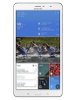 Samsung Galaxy TabPro 8.4
Brand: Model: |
Brand: Model: |
Brand: Model: |
Brand: Model: |
| Price | Rs. 18,999/- | |||
Pros and Cons
| Pros | 4G networking Wi-Fi enabled |
|||
| Cons | No FM radio facility |
Overview
| Class | Tablet | |||
| Status | Coming Soon, Announced on January 2014 | |||
| SIM Type | Micro-SIM | |||
| Colors Available | White | |||
| Network | 2G Network: GSM 850 / 900 / 1800 / 1900 3G Network: HSDPA 850 / 900 / 1900 / 2100 4G Network: LTE 800 / 850 / 900 / 1800 / 2100 / 2600 - SM-T325 |
|||
| Browser | HTML5 | |||
| Form Factor | Candy Bar |
Processor & OS
| Operating System | Android OS, v4.4 (KitKat) | |||
| Processor | Quad-core 2.3 GHz Krait 400 |
Physical Dimensions
| Dimension (HxWxD) | 219 x 128.5 x 7.2 mm | |||
| Weight | 331 g |
Display
| Size | 8.4 inches | |||
| Technology | Super clear LCD capacitive touchscreen | |||
| Resolution | 2560 x 1600 pixels | |||
| Colors | 16M | |||
| Other Features | Multitouch up to 10 fingers, 359 ppi pixel density |
Memory
| Internal Memory & Storage | 16/32 GB | |||
| External Memory | microSD, up to 64 GB | |||
| RAM | 2 GB |
Battery
| Type | Non-removable Li-Ion 4800 mAh battery |
Camera
| Primary Camera(Rear) | 8 MP | |||
| Secondary Camera(Front) | 2 MP | |||
| Resolution | 3264 x 2448 pixels | |||
| Video | Yes | |||
| Features | Autofocus, LED flash, Geo-tagging, face and smile detection. |
Data & Connectivity
| GPRS | Yes | |||
| EDGE | Yes | |||
| 3G | Yes | |||
| 4G | Yes | |||
| Bluetooth | Yes, v4.0 with A2DP | |||
| USB | Yes, microUSB v2.0, USB Host | |||
| Wi-Fi | Wi-Fi 802.11 a/b/g/n/ac, dual-band, Wi-Fi Direct, Wi-Fi hotspot | |||
| GPS | Yes, with A-GPS support and GLONASS |
Multimedia
| Music Player | MP3/WAV/eAAC+/FLAC player | |||
| MP3 Ringtone | Yes | |||
| LoudSpeaker | Yes | |||
| Video Player | MP4/DivX/XviD/WMV/H.264/H.263 player | |||
| Video recording | 1080p@60fps |
Features
| Java | Yes, via Java MIDP emulator | |||
| Messaging | SMS / MMS / Email / Push Mail / Instant Messaging | |||
| Sensors | Accelerometer, gyro, compass | |||
| FM Radio | No | |||
| Document Viewer | Yes | |||
| Additional Features | Voice memo/dial, Predictive text input(Swype), SNS integration, Active noise cancellation with dedicated mic, Organizer, Image/video editor, Google Search, Maps, Gmail, YouTube, Calendar, Google Talk and Picasa. |
Trending New Mobiles
Latest Mobile Launches
Safety Tips for Buyers
- Never pay the Seller before receiving and verifying the device.
- Never scan any QR code or share OTP.
- Ask for bill, box, accessories etc to make sure its not a stolen device.
- Meet the Seller in a safe place preferably in daytime.
Safety Tips for Sellers
- Never handover the phone before receiving the full amount.
- Avoid Buyers from foreign countries.
- Beware of Buyers from other cities.
- Never share sensitive data of your bank account or credit card.
- Never scan any QR code or share OTP.
- Meet the Buyer in a safe place preferably in daytime.
- Make sure to delete all personal data from the phone before selling.
- Format the device or Reset to factory settings before selling.